
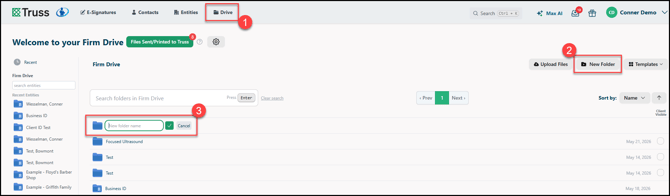
1. If you are not already in the Drive, click Drive to open the Firm Drive.
2. Click New Folder.
3. A new section will appear on the folder list. Enter a name, then click the ✅ to complete, or Cancel to stop creating the new folder.
Once the folder is created, it will display a New tag. You can also immediately mark it as Client Visible on the right.
