
Do you need the plugin? Click here to download the install file.
🎚️ App Requirements
To utilize the application, we need the following capabilities/permissions:
-
Ability to send data over the Internet.
- Access and modify personal information in the active message—including the body, subject, sender, recipients, and attachment details—and may send that data to a third-party service (Truss). Other items in your mailbox cannot be read or modified.
- The account must be a Microsoft Exchange account. We do not support third-party Exchange servers or POP/IMAP accounts at this time (sorry!)
📦 Installation
Using the above link, add it from the App Marketplace. Once run from the website, you may need to close and re-open Outlook to see the item on your Outlook ribbon.
🔩 Functionality
From Outlook in a New Email, you can now create a new Project on the fly and attach it to an email:
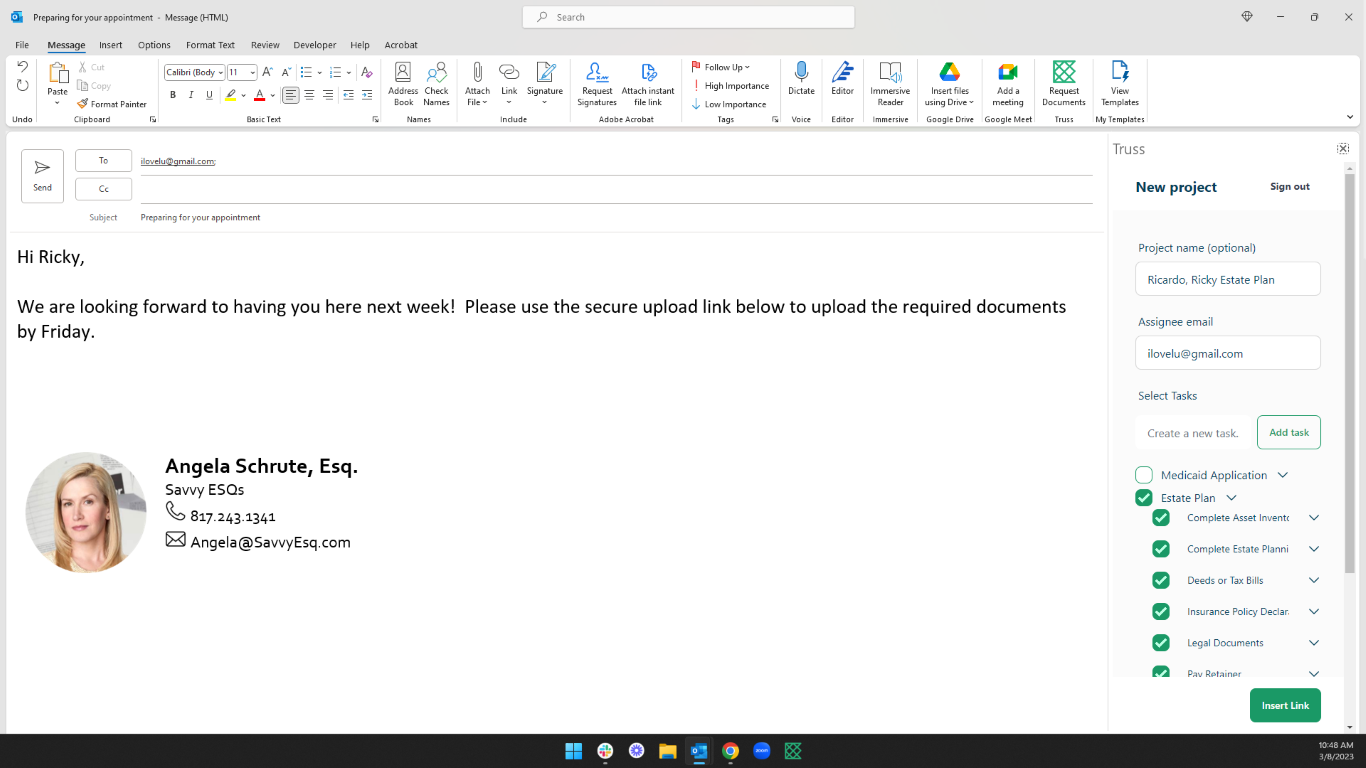
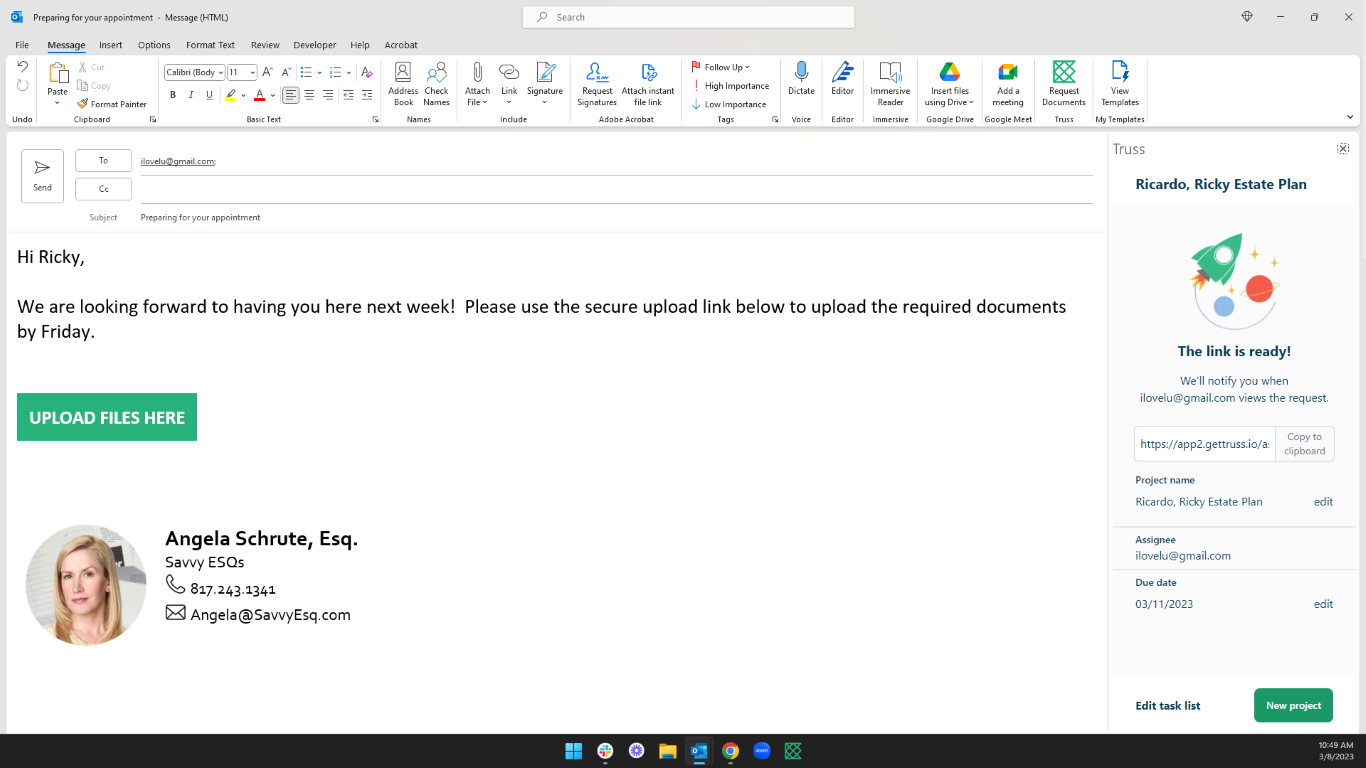
You can also share files securely! To learn more about this process, check out our article on Sending Files With the Outlook Plugin.