
-
Your TaxWise data files will be located at C:\UTS24 by default. Navigate to this folder in Windows File Explorer.
-
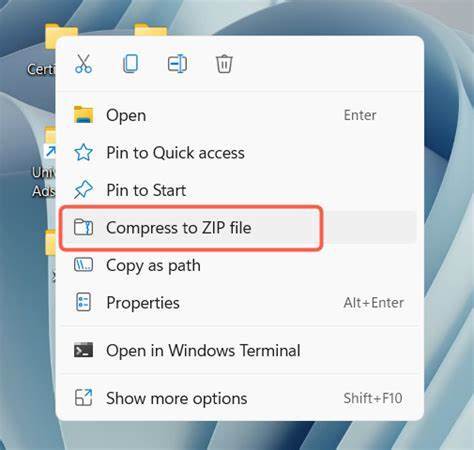
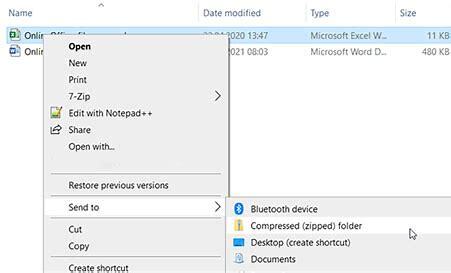
Right-click on the Users folder and click "Compress to..." -> ZIP File (see Screenshots below)
-
Upload the zip file to Truss!
Right Click + Compress to Zip - Windows 11
Right Click + Compress to Zip - legacy Windows
Upload the ZIP files to Truss!
Navigate to the Organizer Uploads page and upload your backup file to Truss!
⏸️ If your backup file exceeds 6 GB, please contact Support.