
1. Zip UltraTax Folders:
Your UltraTax data files will be located in two folders:
📝 Note: It is possible you will get an error when zipping your folders due to staff members being active in Ultratax. It is best practice to copy the source folders to your local desktop, then compress them into a zip file. This will avoid the need to run backups during off-hours.
UT24DATA
Navigate to C:\WinCSI\UT25DATA
Right-click on the UT25DATA folder and
Click "Compress to..." -> ZIP File (see Screenshot below)
DeprData
-
Navigate to C:\WinCSI\DeprData.
-
Right-click on the DeprData folder and
-
Click "Compress to..." -> ZIP File
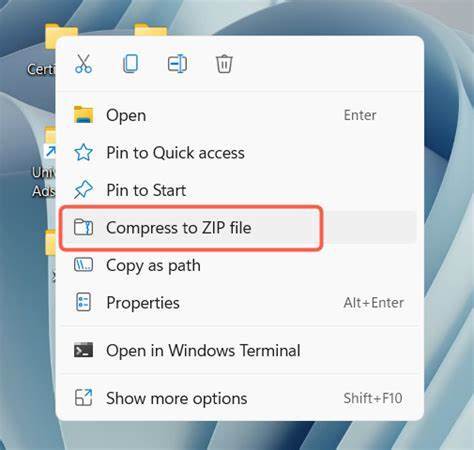
Does your right-click menu look different? Try this one.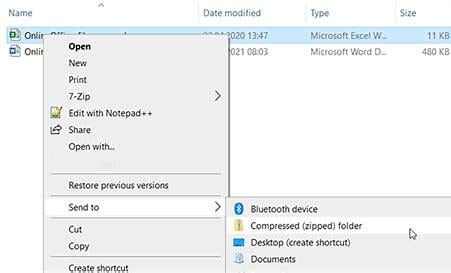
Upload the ZIP files to Truss!
Navigate to the Organizer Uploads page and upload your backup file to Truss!
⏸️ If your backup file exceeds 6 GB, please contact Support.