-
Print the entire return to PDF, including:
-
Transmittal letter / client letter
-
Signature pages (8879s)
-
Payment vouchers
-
All states + federal in a single PDF
-
K-1s if any
-
-
Returns must be a client copy
Note: Adding custom letters / pages to the PDF will likely generate errors. If you do need to modify the PDF ensure that:
-
existing bookmarks are consistent and functional
-
new pages are properly bookmarked/linked
-
No password protection / digital signature / access restrictions on the PDF
1040 and 990
-
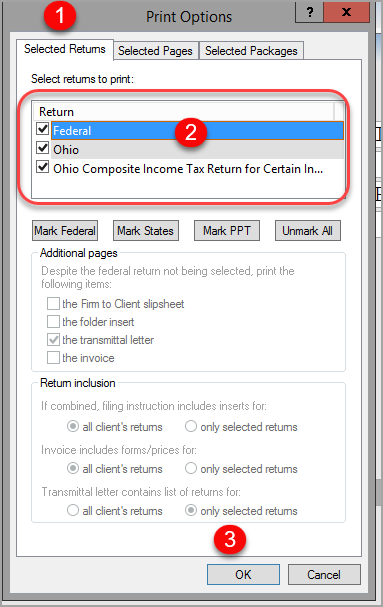
Click the Selected Returns tab under Print Options.
-
Select which returns to print.
-
At least a Federal return is required.
-
-
Click OK.
-
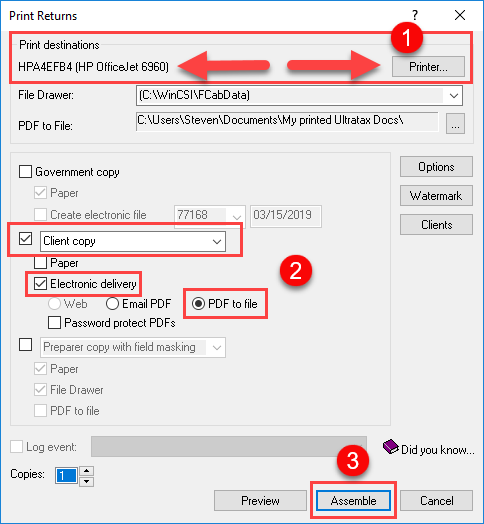
Select a physical office printer under Print Returns.
-
If you do not, returns may be printed incorrectly and rejected.
-
-
Click the Client Copy, Electronic Delivery, and PDF to File checkboxes.
-
Click Assemble.
1065, 1120, 1120S, 1041
Client Copy
-
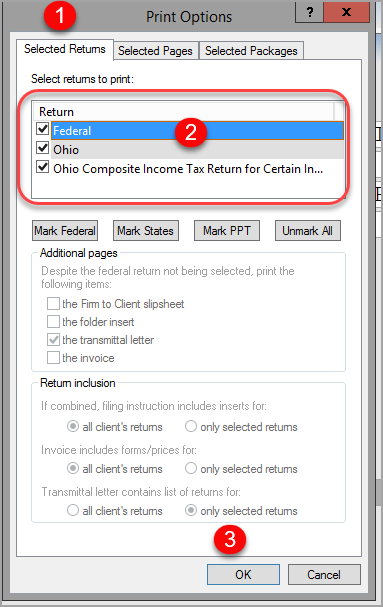
Click the Selected Returns tab under Print Options
-
Select which returns to print. At least a Federal return is required.
-
Click OK.
K-1 Packages
-
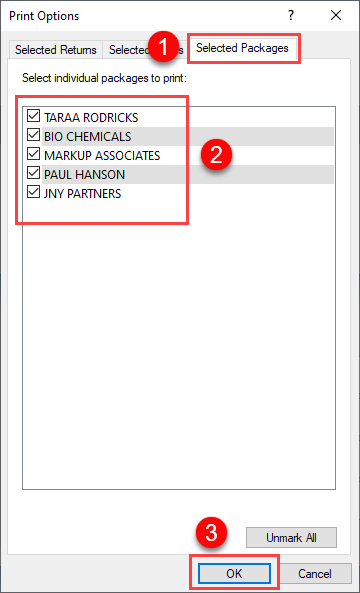
Click the Selected Packages tab under Print Options
-
Select to print all packages.
-
Click OK.
-
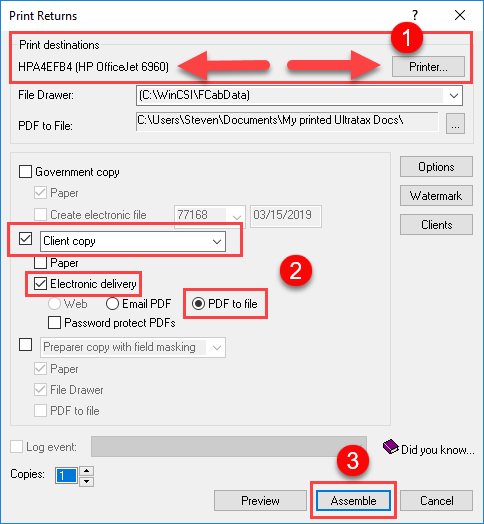
Select a physical office printer under Print Returns.
-
If you do not your returns may be printed incorrectly and rejected.
-
-
Click the Client Copy, Electronic Delivery, and PDF to File checkboxes.
-
Click Assemble.