🎨 Setting Up Annotation Colors
Before diving into work papers, set this up first.
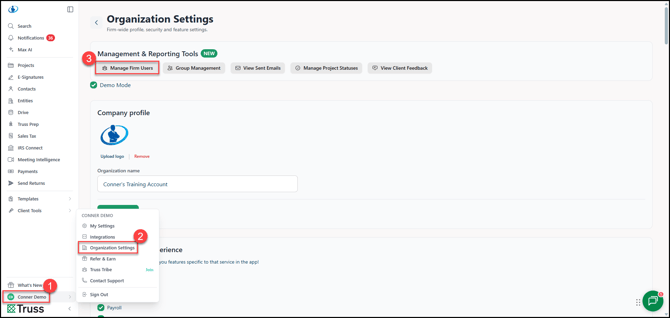
1. Open up the Profile menu.
2. Click on Organization Settings.
3. Click on Manage Firm Users.
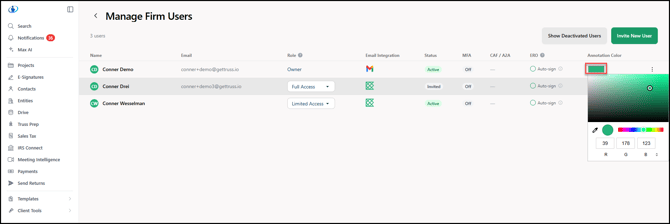
Assign each user their own unique annotation color. This makes it easy to see at a glance who reviewed or marked off each page.